 Slimbot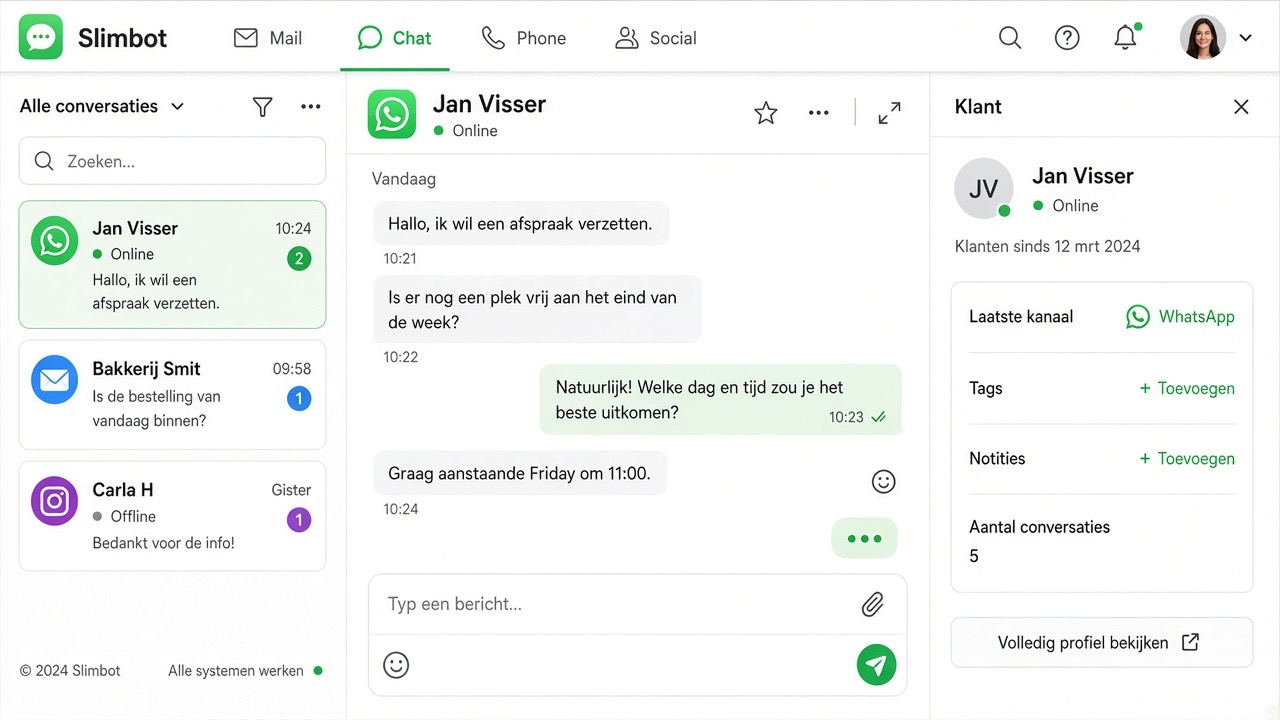
A notification via WhatsApp, a phone call at night, a price on a note, a payment request afterwards and an invoice you still have to create at the weekend: for many locksmiths, the job is spread across five places. In Slimbot, everything is in the conversation with the customer. That's how a job runs from start to finish.
1. The notification arrives
The customer messages or calls the number on your van and in Google. The WhatsApp assistant replies within seconds and asks the essentials: urgent or scheduled, the full address, and a photo of the lock. If the customer calls and you can't answer, the AI receptionist picks up. Urgent calls are put through immediately; otherwise, a call-back request is logged. You receive an instant notification. Read more in AI receptionist for locksmiths.
2. The price in advance
The assistant mentions your call-out charges and your night or weekend rate, exactly as you record them. If it concerns scheduled work, such as replacing or adding locks, you create a quote in Slimbot and send it from the same conversation. The customer can approve online.
3. Pay on the spot
Ready? Then you send a payment link from the chat. The customer pays directly with iDEAL on their phone, and you can see in Slimbot whether the payment has been received. No cash in the letterbox and no 'I'll transfer it tomorrow'.
4. Invoice and accounting
You create the invoice in Slimbot, if desired from the quote, and send it without switching programmes. Slimbot tracks outstanding invoices and has an export for your accounting.
5. Ask for a review
After the job, you send the customer a request for a Google review via WhatsApp from Slimbot, with a direct link. Real reviews from real customers are worth their weight in gold in this trade. Never buy them: purchased reviews are misleading and can cost you your Google profile.
Find everything per customer
Because everything is in the conversation, you can see at a glance per customer what has been said, which photos have been sent, what has been quoted and paid. If you have colleagues, everyone works in the same inbox.
Also read: 24-hour window & templates · GDPR & opt-out