 Slimbot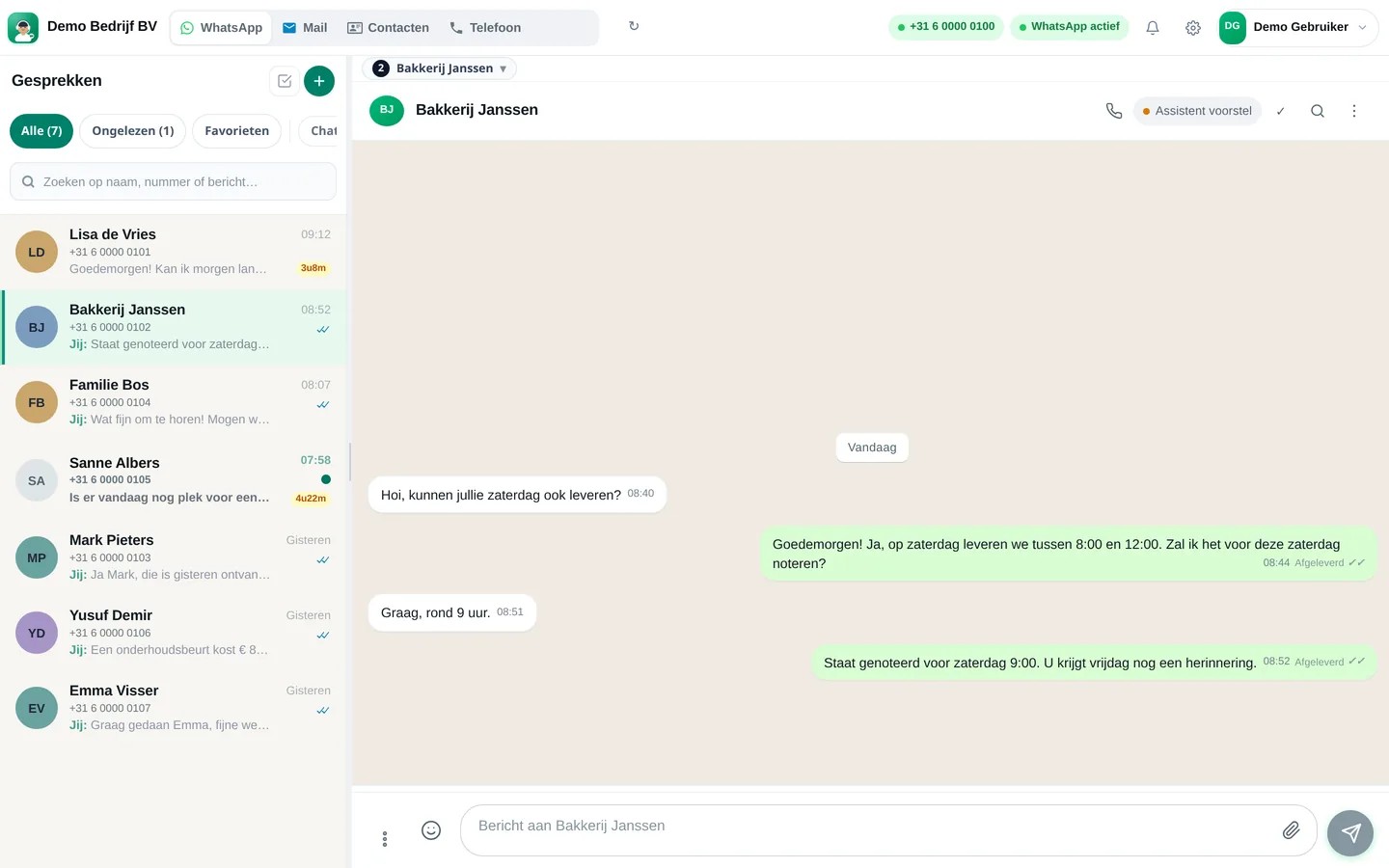
Customers choose their own channel: one sends an e-mail, another uses WhatsApp, a third does both. If those messages land in three places, half your day is spent searching. Here's how to set up one shared inbox where WhatsApp and e-mail come together.
What is a shared inbox?
A shared inbox is one place where all customer messages for the team arrive, regardless of the channel. Every conversation has a status and an owner, colleagues see the same conversation history and notes are only visible internally. In English, this is called a shared inbox or team inbox.
Why WhatsApp and e-mail together?
- One customer view. The quote sent by e-mail and the question that came via app belong to the same person.
- No duplicate work. Not the same answer twice on two channels.
- Transferable. In case of illness or holiday, a colleague picks up the conversation without needing someone's phone or mailbox.
- Measurable. You see how much is coming in and how long customers are waiting.
Want to know which channel works best for what? Read WhatsApp or e-mail and choosing channels.
Step-by-step plan in seven steps
- List your channels. Write down which addresses and numbers customers use (for example, info@ and the WhatsApp number).
- Create an account at slimbot.nl/registreren.
- Connect WhatsApp with a QR code or the Cloud connection (which suits you?).
- Connect your mailbox via connecting e-mail. E-mail stays on your own domain and address.
- Invite colleagues with their own login.
- Create labels and ground rules. For example New, Quote, Job scheduled, Waiting for customer. Agree who picks up what and within how many hours you respond.
- Use the assistant as support. Let it prepare drafts that you approve, instead of letting it send automatically.
An example of a day in the inbox
EXAMPLE · Customer e-mails, then messages
What does it cost?
| Plan | Per month (excl. VAT) | One-off |
|---|---|---|
| Try-out | € 14,95 | None |
| Starter | € 29,95 | € 300,00 |
| Pro | € 89,95 | € 300,00 |
| Business | On request | On request |
Prices from the live Slimbot price list, excl. VAT, cancel monthly. Current overview: slimbot.nl/prijzen.
For a team of two or three people you'll usually need Pro (up to 3 team members, shared inbox and routing). Working alone with one number is already possible with Starter. For more numbers, departments and the AI phone answering, there's Business.
Common mistakes
- Letting everything come in one stream without labels: after a week it's noise.
- No owner per conversation: everyone thinks someone else is replying.
- Having the assistant send automatically without training it first. Start with drafts.
- Forgetting that WhatsApp has a 24-hour window: after 24 hours, you can only start with an approved template.
Frequently asked questions
What is the difference between a shared inbox and a CRM?
An inbox is for the conversation: who writes what. A CRM stores customer data and appointments. Slimbot displays the customer card next to the conversation, so you see both.
Can customers see that I'm using a shared inbox?
No. They see your business number and e-mail address, as before.
Will my e-mail also remain available in my own programme?
Yes. The integration reads your mailbox; your existing addresses and programme continue to work.
How long does setup take?
The integration itself takes minutes. Agreeing the ground rules with your team usually takes the most time.
Read more
Everything in one inbox
Start with a free account and connect WhatsApp and e-mail.
Start for free → Schedule a demoPrefer to call? 085 060 4471