 Slimbot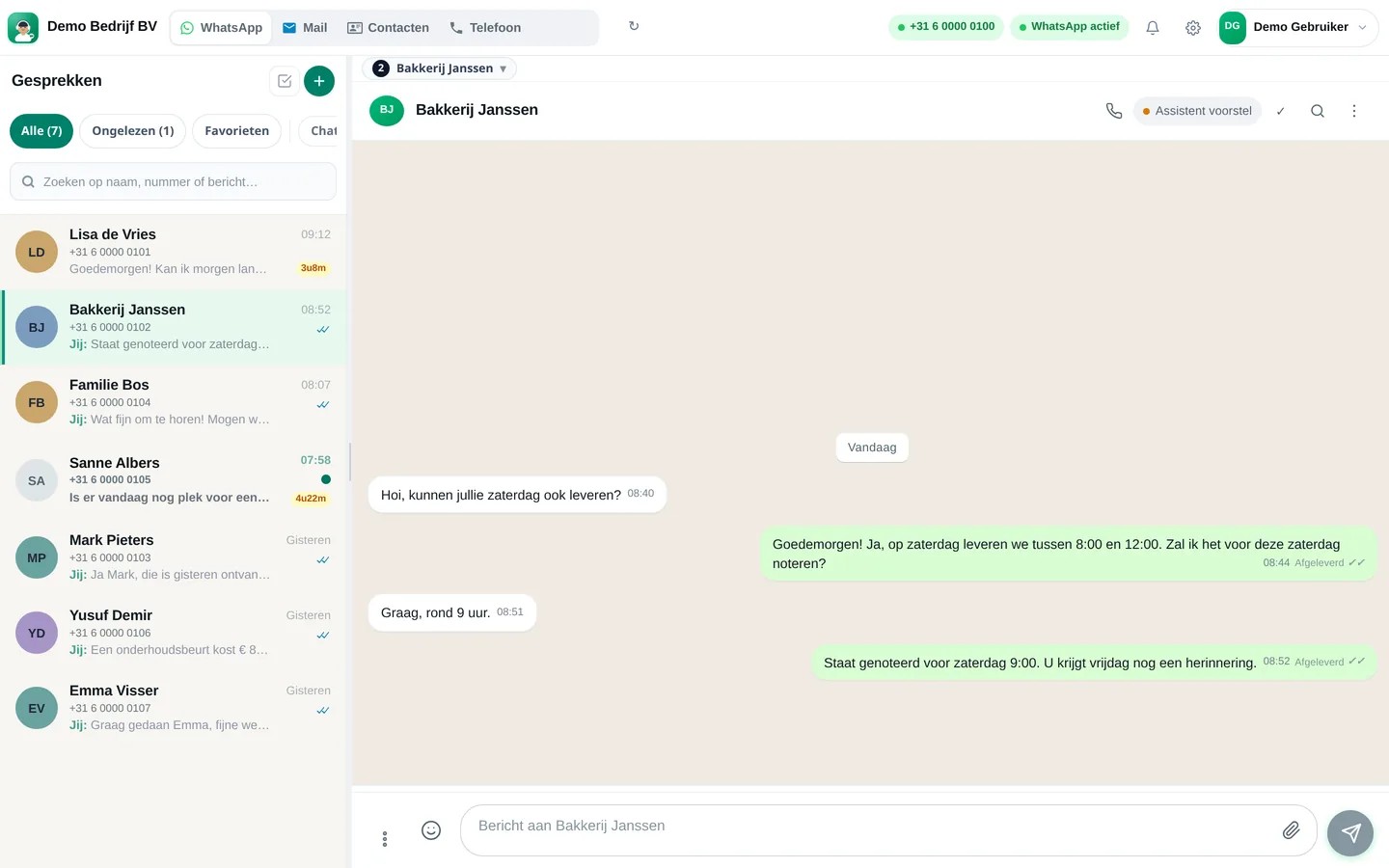
The WhatsApp Business app is free and a great start for many business owners. Slimbot is a team inbox that also works on your own WhatsApp number. This page compares them fairly, so you can see when the app is enough and when it isn't.
What the WhatsApp Business app does well
The Business app is designed for small business owners. According to WhatsApp's own feature page, you get a business profile (logo, description, opening hours, website), a welcome message, an away message, quick replies, labels to sort conversations and a catalogue to display products. For those who take a Meta Verified subscription, WhatsApp also mentions access for multiple team members: up to 10 linked devices and agents.
That's a lot of value for no money, and you continue working on a familiar phone. If you have 5 to 15 conversations per day and answer them yourself, you don't need to look for anything else.
Source: WhatsApp Business app, feature page (checked on 21-10-2026).
Where it becomes problematic as soon as it gets busier
- Conversations are on one phone. Whoever shares the number shares the phone or links devices. There is no overview of who has handled which conversation.
- E-mail, phone and website chat are somewhere else. A customer who first called, then e-mailed and now messages you on WhatsApp appears as three separate customers.
- Automatic replies are fixed. A welcome or away message is a fixed text. It does not answer questions about prices or opening hours.
- No conversation history per customer across channels. A colleague stepping in has to scroll through the chat to see what has been agreed.
What Slimbot adds to that
Slimbot connects your own WhatsApp number (with a QR code, just like WhatsApp Web, or via the official Cloud integration) and puts the conversations in a team inbox. E-mail, website chat and phone are there too. Colleagues see the same conversation, can add labels and internal notes, and an AI assistant prepares draft replies that you approve or adjust. Your data is stored on Dutch servers.
Would you like to know what that feels like first? A free account costs nothing and you don't need to enter a credit card. You can read exactly what the integration entails in Keep App or Cloud?.
Comparison in one table
| WhatsApp Business app | Slimbot | |
|---|---|---|
| Price | Free app (Meta Verified is a paid subscription) | Monthly amount per plan, see below |
| Keep your own number | Yes | Yes, via QR or Cloud connection |
| Multiple team members | Linked devices; more extensive with Meta Verified | Shared inbox with routing (Pro: up to 3 team members) |
| E-mail and website chat in the same inbox | No | Yes |
| Phone (AI receptionist) | No | Yes, with Business (on request) |
| Automatic replies | Welcome message, away message, quick replies | Chatbot based on your own knowledge, with drafts you approve |
| Labels and notes | Labels | Labels, internal notes, customer card |
| Keeping track of more than a few conversations a day | Becomes confusing | Built for teams |
What it costs
| Plan | Per month (excl. VAT) | One-off |
|---|---|---|
| Try-out | € 14,95 | None |
| Starter | € 29,95 | € 300,00 |
| Pro | € 89,95 | € 300,00 |
| Business | On request | On request |
Prices from the live Slimbot price list, excl. VAT, cancel monthly. Current overview: slimbot.nl/prijzen.
The app itself is free. What you pay for with Slimbot is the convenience: team, channels and assistant. Meta also charges per outgoing template message; what that means is explained in What does the WhatsApp Business API really cost?
Choose in four questions
- Is more than one person answering messages? Then that belongs in a shared inbox.
- Do customers also reach you via e-mail, phone or your website? Then you want one customer view.
- Do more than half of the questions concern the same things (price, opening hours, appointment)? Then an assistant pays off.
- Do you regularly miss messages outside office hours? Then a reply that comes immediately pays off.
Frequently asked questions
Can I keep using the WhatsApp Business app alongside Slimbot?
Yes. With the app connection (QR) your phone remains the device and messages arrive in Slimbot and on your phone. The variants available are explained in Keep app or Cloud?.
Will I lose my number or my chats if I take Slimbot?
No. You keep your own number. How chats are taken over depends on the integration; if you have questions, we'll help with connecting.
Is there a trial period?
Slimbot works with a free account instead of a trial period. You create it without a credit card; a paid plan only starts when you accept it.
Do I need to be technical to do this?
No. Connecting is scanning a QR code. For Cloud we help with verification.
Read more
See how it works yourself?
Create a free account and connect your number, or schedule a short demo.
Start for free → Schedule a demoPrefer to call? 085 060 4471