 Slimbot
Appointments via your calendar
Patients choose or request a time; the assistant finds a free slot in your connected calendar and prepares the appointment.
New patients message, e-mail or fill in the form and ask for an appointment. Slimbot puts those messages in one inbox, schedules via your calendar and collects the intake details. The treatment and any advice about complaints remain with you.

Good morning, I've had pain between my shoulder blades for two weeks. Can I make an appointment?
Good morning! I'd be happy to schedule a first appointment. Do you have a preference for morning or afternoon? You'll discuss your complaint itself with the practitioner.
"Can I still come this weekend? My neck is stuck."
The assistant looks for available times in your calendar. He doesn't give an opinion on the complaint; you do that in the practice.
"Do I need a referral?"
Answer from your own workflow that you fill in. If it's not in there, the question goes to the team.
"My fourteen-year-old son wants to come too. Is that allowed?"
Questions about minors and consent go with the conversation to the practice, which knows your policy.
"How many treatments will I be reimbursed for?"
Forwarded to the team. The AI does not mention reimbursement amounts.
"I've lost my back plan, can you send it again?"
The assistant prepares a draft; you check what goes out.
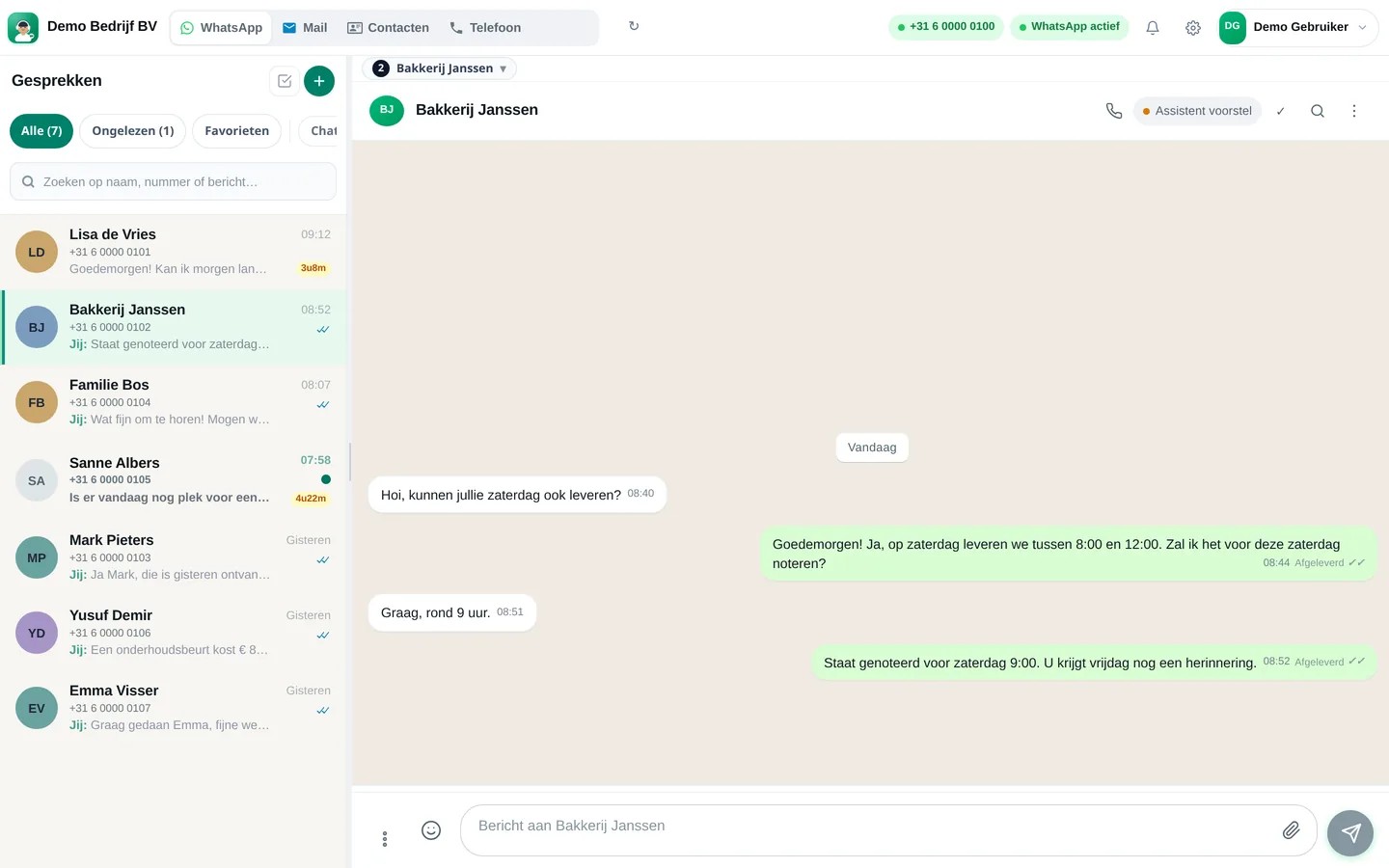
CustomerGood morning, I've had pain between my shoulder blades for two weeks. Can I make an appointment?
AssistantGood morning! I'd be happy to schedule a first appointment. Do you have a preference for morning or afternoon? You'll discuss your complaint itself with the practitioner.
CustomerPreferably Tuesday afternoon.
AssistantTuesday at 3.30 p.m. is available. Shall I schedule that for you? I'll send a confirmation with what you can bring.
Choose a question and see how the assistant responds. These are pre-written example answers (not live AI). In your own account, the assistant bases itself on your own data, and you decide whether an answer goes automatically or for approval first.
Choose a question on the left to start the conversation.
Screenshots from a demo account with example conversations. Not real customers.

From sign-up to working channel. You keep your own number.
Practice number, e-mail and calendar.
Practitioners, duration of a first appointment, what the assistant may say.
Also via the chat on the practice website.
Features that Slimbot has today. No promises we don't keep.
Patients choose or request a time; the assistant finds a free slot in your connected calendar and prepares the appointment.
Reason for the appointment, how long the complaint has been present, which referral letter there is: the assistant asks and adds it to the customer card. The practitioner does the interpreting.
The insurer decides on reimbursement, not the AI. Such questions go to your team with the conversation included.
A reminder from your own number, and rescheduling in the same chat instead of a voicemail.
After a treatment, a message that you approve yourself, asking whether the patient would like a follow-up appointment.
Answer three short questions and see which plan and features we recommend. It's an indication: you choose yourself, and you can cancel monthly.
Two calculators with your own input and visible formula, and answer templates to use immediately. No e-mail address required.
How many requests are left unanswered or arrive too late? Enter your own estimate. The values below are example values.
How many hours per week is your business unreachable for messages, and what does that mean for your response time?
Goedemiddag <naam>, uw eerste afspraak staat op <dag> om <tijd> bij <behandelaar>. Wilt u losse, makkelijke kleding aanhouden en eventuele eerdere onderzoeken of verwijsbrieven meenemen? Kunt u niet? Laat het ons minimaal <aantal> uur van tevoren weten. Tot dan! <praktijknaam>
Goedemorgen <naam>, om uw afspraak goed voor te bereiden vragen wij u kort te antwoorden: wat is de reden van uw bezoek, hoe lang speelt het al, en gebruikt u iets waarvan u denkt dat de behandelaar het moet weten? Uw antwoorden komen bij de behandelaar terecht. Groet, <praktijknaam>
Goedemiddag <naam>, uw laatste behandeling was op <datum>. <behandelaar> adviseerde een controleafspraak. Zullen wij een moment voor u inplannen? Reageer met een dag en tijd die u uitkomt. Groet, <praktijknaam>
Adjust names, times and amounts before you send. Fill in the text in <angle brackets> yourself.
Type your industry. We'll show the relevant page, or a brief tailored explanation of what Slimbot can do for you.
Create a free account and connect your own number, e-mail and website chat. Prefer to see it first? Schedule a short demo.