 Slimbot
Schedule trial classes
The assistant asks about experience and preferred day and schedules a trial lesson via your connected calendar.
A new student wants to know which class suits them, and a regular student wants to cancel quickly or find a place. Slimbot handles those questions in one inbox, asks what's needed and adds appointments and cancellations to the right customer card.

Hi! I'd like to join a yoga class sometime. I've never done it before.
Hi! Lovely that you'd like to give it a try. Which days suit you, then I'll look for a class that's suitable for beginners?
"Can I come for a trial class?"
The assistant asks about experience and preferred day and puts the trial class in your calendar. You confirm.
"Which class is suitable for beginners?"
Reply from the schedule and descriptions you've filled in yourself.
"I can't make it tonight, can I cancel?"
The cancellation appears on the customer card. You can then offer the place to the waiting list.
"Am I allowed to participate with a back injury?"
No advice from the AI. The question goes to your teacher, who answers themselves.
"How long is my class card valid?"
Forwarded to your team, who will look up the card and reply.
CustomerHi! I'd like to join a yoga class sometime. I've never done it before.
AssistantHi! Great that you'd like to get to know us. Which days suit you, and I'll look for a class that's a good fit for beginners?
CustomerTuesday evening or Thursday morning.
AssistantThank you. I'll arrange a trial class for you; a colleague will confirm as soon as possible whether there's space on Tuesday evening or Thursday morning.
Choose a question and see how the assistant responds. These are pre-written example answers (not live AI). In your own account, the assistant bases itself on your own data, and you decide whether an answer goes automatically or for approval first.
Choose a question on the left to start the conversation.
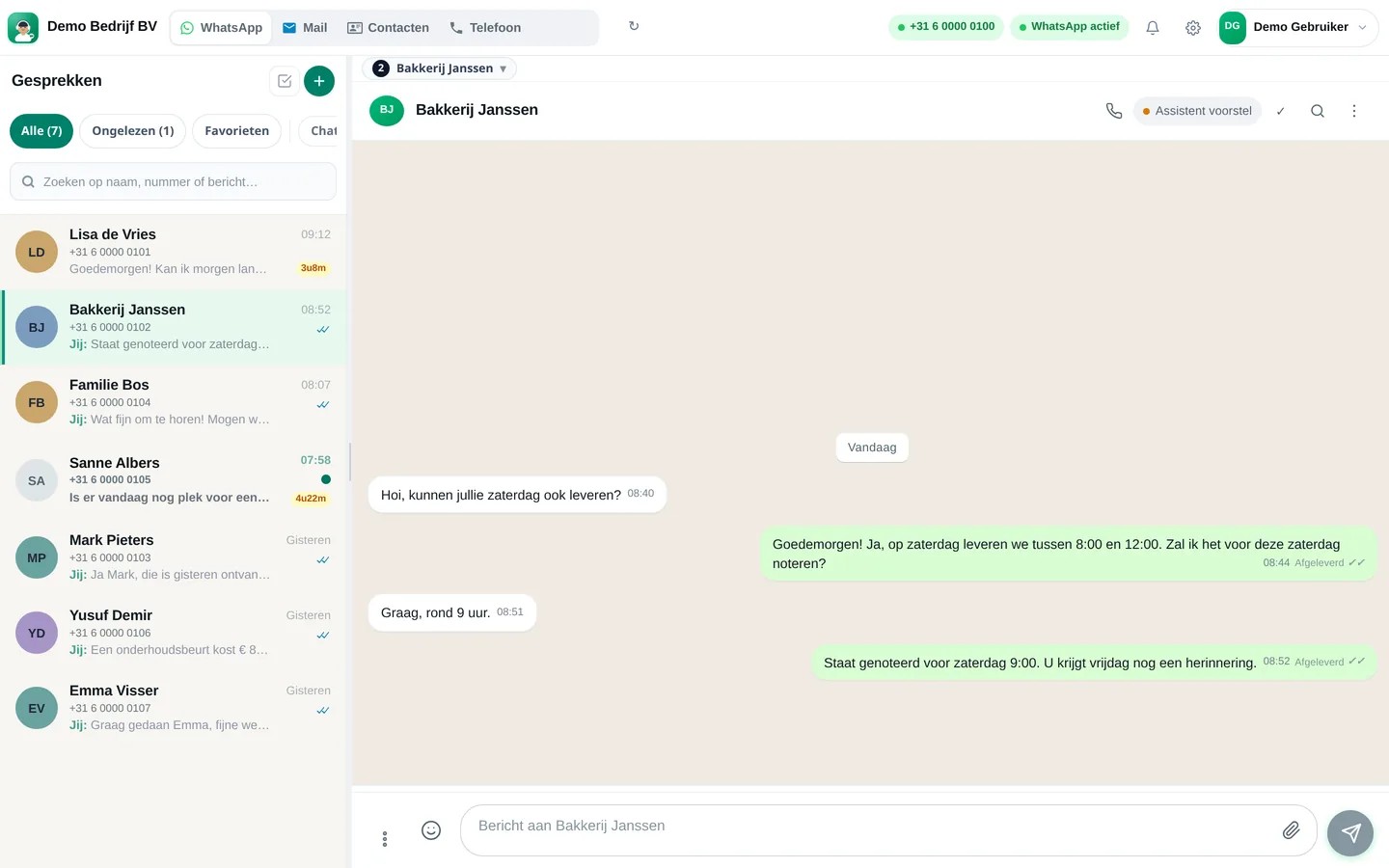
Screenshots from a demo account with example conversations. Not real customers.

From sign-up to working channel. You keep your own number.
The number you already use to message students.
Classes, levels, trial lesson appointments and which questions go to a teacher.
Also via the chat on your website.
Features that Slimbot has today. No promises we don't keep.
The assistant asks about experience and preferred day and schedules a trial lesson via your connected calendar.
Which class, which level, which day: answer from the timetable you fill in yourself.
Cancellations come in in one place. When a spot becomes available, you use a template to prepare the message to the waiting list.
Questions about cards and subscriptions go to your team; you can send a payment link for a single class or card in the conversation.
Questions about injuries, pregnancy or complaints receive no answer from the AI. They go to your instructor.
Answer three short questions and see which plan and features we recommend. It's an indication: you choose yourself, and you can cancel monthly.
Two calculators with your own input and visible formula, and answer templates to use immediately. No e-mail address required.
How many requests are left unanswered or arrive too late? Enter your own estimate. The values below are example values.
How many hours per week is your business unreachable for messages, and what does that mean for your response time?
Hoi <naam>, fijn dat je een proefles komt doen! Hierbij bevestig ik <les> op <dag> om <tijd>. Kom een paar minuten eerder, trek comfortabele kleding aan en neem water mee. Tot dan! <uw naam>
Hoi <naam>, goed nieuws: er is een plek vrijgekomen in <les> op <dag> om <tijd>. Wil je hem? Laat het binnen <tijd> weten, anders bieden we hem aan de volgende persoon aan. Groet, <uw naam>
Hoi <naam>, je klassenkaart heeft nog <aantal> lessen. Wil je verlengen, of past een ander abonnement beter bij je? Laat het gerust weten, dan helpen we je graag. Groet, <uw naam>
Adjust names, times and amounts before you send. Fill in the text in <angle brackets> yourself.
Type your industry. We'll show the relevant page, or a brief tailored explanation of what Slimbot can do for you.
Create a free account and connect your own number, e-mail and website chat. Prefer to see it first? Schedule a short demo.