 Slimbot
Intake requests neatly recorded
Name, preferred times of day and the nature of the request in brief, so you or the assistant don't have to ask three times.
When someone seeks help, the first step is often a short message. Slimbot ensures that message doesn't sit unanswered: registrations, rescheduling requests and reminders run through one inbox. The AI never provides care, advice or judgement; in case of emergency or doubt, the conversation goes to your team as priority.
Good morning, I'd like to schedule an intake with a psychologist. How does that work with you?
Good morning, great that you're getting in touch. I'll note down your request; which times of day suit you, and would you prefer on-site or online?
"Do you have space for an intake?"
The assistant records the request with preferred times of day and indicates when the practice will respond. About waiting time, he only says what you have filled in.
"Can my appointment be rescheduled?"
Ask for a new time, draft in the calendar, confirmation after your approval.
"Will this be reimbursed by my health insurer?"
A reply from your own text about reimbursement and referral, or the conversation goes to you. The AI does not assess any individual situation.
"I have a question about an exercise from the last session."
Substantive: no answer from the AI. The message goes to you with the question included, on the customer card.
"I'm struggling and don't know what to do."
No advice from the AI. The message goes directly to your team with priority; the assistant refers to GP, out-of-hours GP service or 112.
CustomerGood morning, I'd like to schedule an intake with a psychologist. How does that work with you?
AssistantGood morning, thank you for getting in touch. I'll note your request; which times of day suit you, and would you prefer in-person or online?
CustomerPreferably Tuesday or Thursday morning, online.
AssistantThank you. I'll pass it on; the practice will let you know by <dag> which time is possible. A colleague will call you for questions about symptoms.
Choose a question and see how the assistant responds. These are pre-written example answers (not live AI). In your own account, the assistant bases itself on your own data, and you decide whether an answer goes automatically or for approval first.
Choose a question on the left to start the conversation.
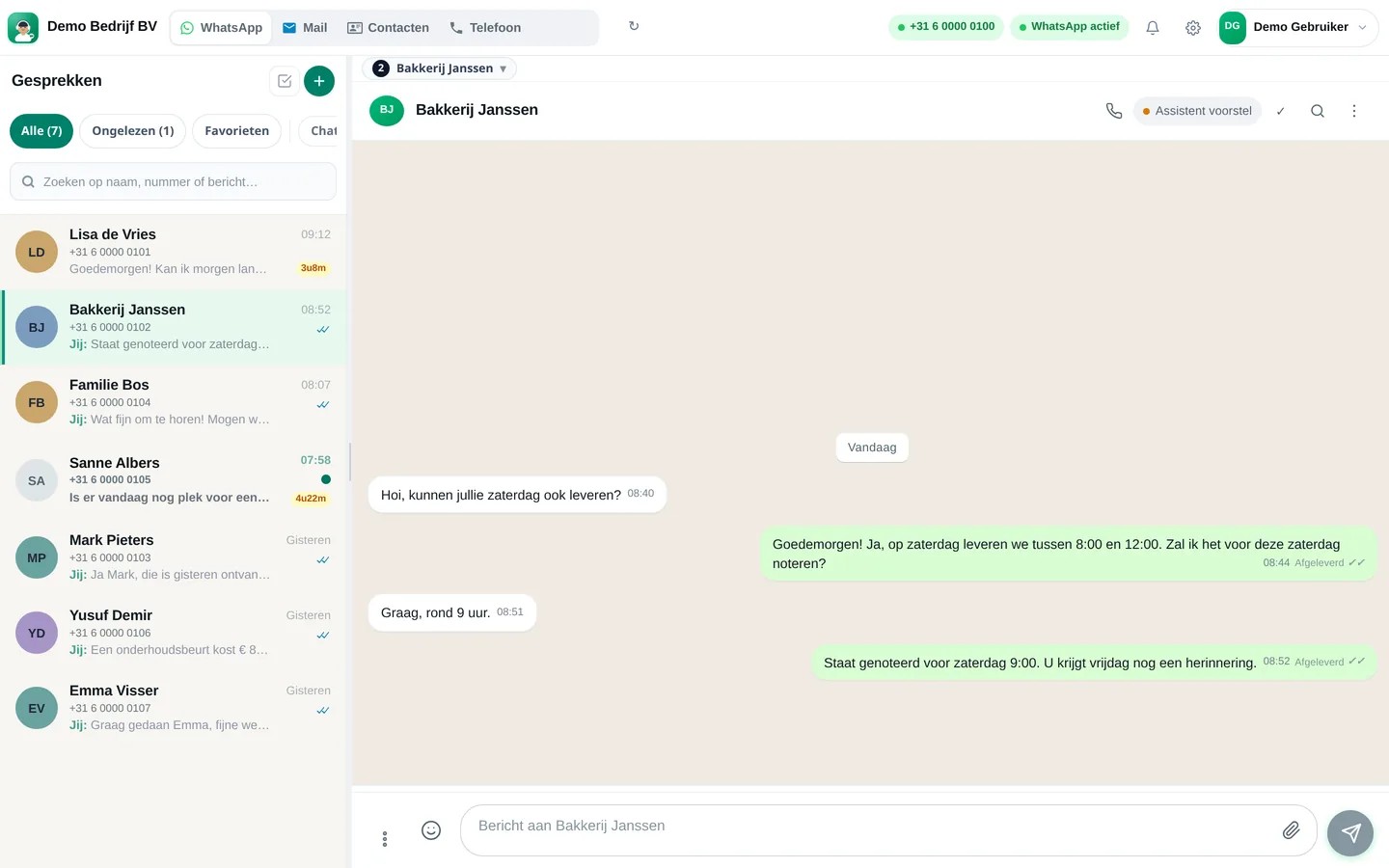
Screenshots from a demo account with example conversations. Not real customers.

From sign-up to working channel. You keep your own number.
Practical matters on; everything about complaints, treatment or crisis always to your team.
Your business WhatsApp via QR code and the diary in which you manage appointments.
Via WhatsApp, e-mail or the chat on your website, always in the same inbox.
Features that Slimbot has today. No promises we don't keep.
Name, preferred times of day and the nature of the request in brief, so you or the assistant don't have to ask three times.
You decide which topics the assistant never answers. Such a message goes to you or your team as a priority, with a referral to GP, out-of-hours GP service or 112.
The assistant requests a new time and puts it as a draft in your connected calendar; you approve it.
A short message in advance with day, time and location or link. You don't have to remember or message it yourself.
Rates, reimbursements via the insurer, waiting time, online or on location: the assistant only uses what you have entered yourself.
Answer three short questions and see which plan and features we recommend. It's an indication: you choose yourself, and you can cancel monthly.
Two calculators with your own input and visible formula, and answer templates to use immediately. No e-mail address required.
How many requests are left unanswered or arrive too late? Enter your own estimate. The values below are example values.
How many hours per week is your business unreachable for messages, and what does that mean for your response time?
Goedemiddag <naam>, bedankt voor uw aanmelding bij <praktijknaam>. We hebben uw bericht ontvangen. Op <dag> laten we u weten of er plek is voor een kennismakingsgesprek en welke tijden mogelijk zijn. Groet, <uw naam>
Goedemorgen <naam>, uw afspraak is verplaatst naar <dag> om <tijd> op <locatie of online>. Past dat toch niet, geef het dan uiterlijk <termijn> voor de afspraak door, dan zoeken we een ander moment. Groet, <uw naam>
Goedemiddag <naam>, een herinnering aan uw afspraak op <dag> om <tijd>. Kunt u niet komen, laat het ons dan weten via dit bericht. Tot dan, <uw naam>
Adjust names, times and amounts before you send. Fill in the text in <angle brackets> yourself.
Type your industry. We'll show the relevant page, or a brief tailored explanation of what Slimbot can do for you.
Create a free account and connect your own number, e-mail and website chat. Prefer to see it first? Schedule a short demo.