 Slimbot
Schedule appointments
Offer available slots from your connected calendar for eye measurements and fitting appointments, with a reminder from your own number.
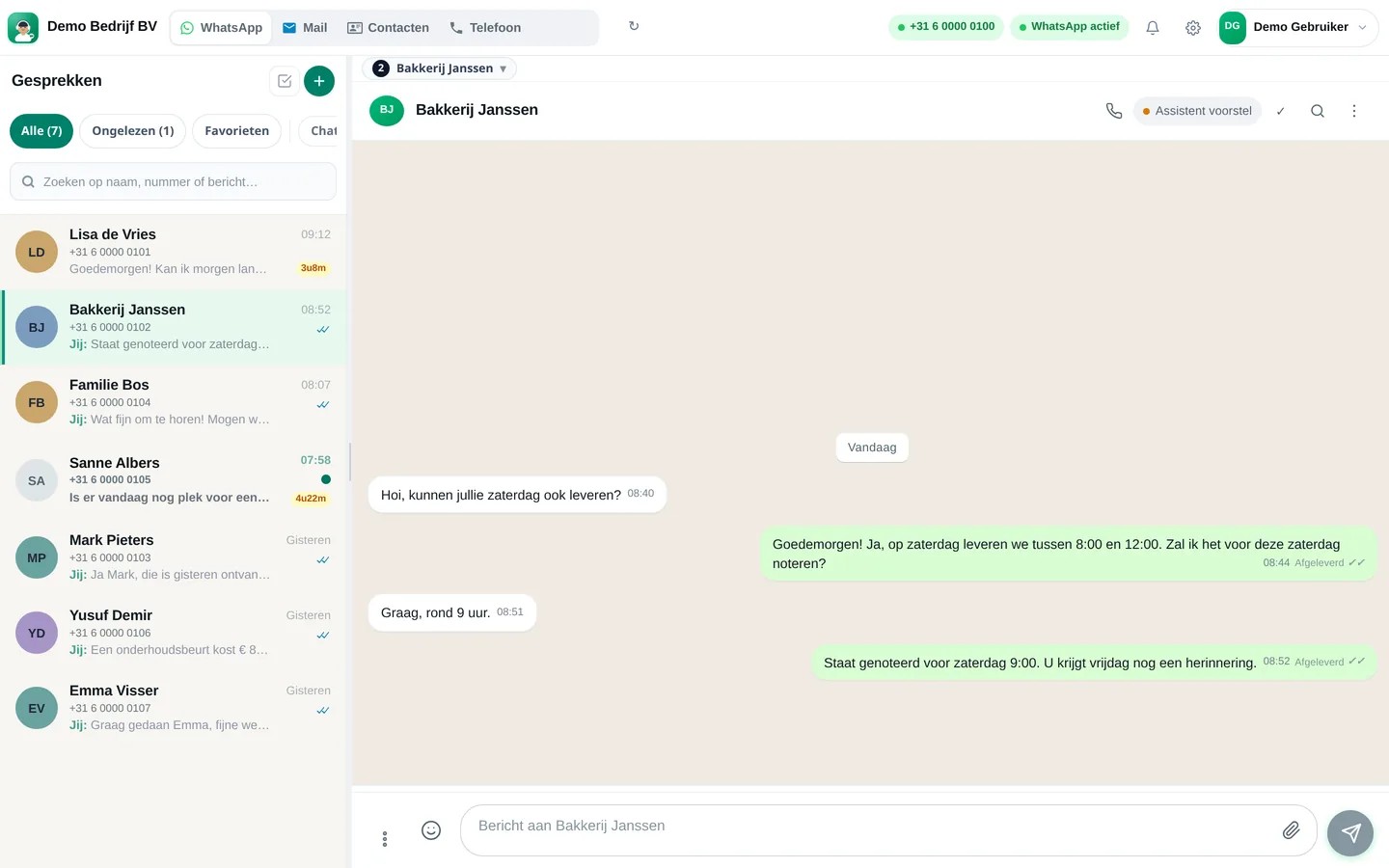
Between a measurement and fitting a frame, you can't text. Slimbot handles appointment requests and questions via WhatsApp, e-mail and your website and prepares them in one team inbox. The AI gives no advice about your eyes themselves.

Good afternoon, I'd like to have my eyes tested. Is that possible next week?
Good afternoon! Do you have a preference for a day and time of day? Then I'll check which slots are available.
"Can I have an eye test next week?"
Preferred day and time are requested and suitable slots from your diary are offered; you confirm.
"My glasses are broken, can you repair them?"
The assistant asks what's broken and requests a photo; you let them know if and when the customer can come by.
"Are my new glasses in yet?"
You see the conversation on the customer card and send a brief update.
"I've been seeing flashes in my eye since this morning."
The AI gives no advice, refers directly to the GP or 112 for acute complaints and flags the conversation as priority for your team.
"Which lenses are suitable for me?"
No advice from the AI. The assistant schedules an appointment for a conversation with the optician.
CustomerGood afternoon, I'd like to have my eyes tested. Is that possible next week?
AssistantGood afternoon! Do you have a preference for a day and time of day? Then I'll see which times are available.
CustomerThursday morning please.
AssistantThursday at 10:00 or 11:30 is available. Which suits you? Bring your current glasses and the team will confirm your appointment.
Choose a question and see how the assistant responds. These are pre-written example answers (not live AI). In your own account, the assistant bases itself on your own data, and you decide whether an answer goes automatically or for approval first.
Choose a question on the left to start the conversation.
Screenshots from a demo account with example conversations. Not real customers.

From sign-up to working channel. You keep your own number.
Your business number and the calendar in which you manage appointments.
Opening hours, types of appointments, what you do and don't handle via chat.
The assistant suggests answers, you approve.
Features that Slimbot has today. No promises we don't keep.
Offer available slots from your connected calendar for eye measurements and fitting appointments, with a reminder from your own number.
Complaints about vision, pain or blurred sight are not assessed. The assistant refers to an appointment, and for acute complaints to the GP or 112.
Opening hours, repairs and what you offer are answered by the assistant from your own knowledge base; for the rest the conversation goes to your team.
A short message when frames or lenses are ready to collect. You approve the draft or send it yourself.
A friendly request for a review, at a time you choose.
Answer three short questions and see which plan and features we recommend. It's an indication: you choose yourself, and you can cancel monthly.
Two calculators with your own input and visible formula, and answer templates to use immediately. No e-mail address required.
How many requests are left unanswered or arrive too late? Enter your own estimate. The values below are example values.
How many hours per week is your business unreachable for messages, and what does that mean for your response time?
Goedemiddag <naam>, hierbij bevestig ik uw afspraak voor een oogmeting op <dag> om <tijd>. Neem uw huidige bril of lenzen en eventueel uw oude sterktegegevens mee. Moet u verzetten? Stuur dan even een bericht. Groet, <uw naam>
Goedemorgen <naam>, uw nieuwe bril is klaar en kan worden opgehaald. We passen hem graag even voor u aan. Wij zijn open op <dagen en tijden>. Tot snel! <uw naam>
Goedemiddag <naam>, uw laatste oogmeting was in <maand en jaar>. Zin om een nieuwe afspraak te plannen? Laat het weten met een dag en tijd die u uitkomt, dan zet ik hem in. Groet, <uw naam>
Adjust names, times and amounts before you send. Fill in the text in <angle brackets> yourself.
Type your industry. We'll show the relevant page, or a brief tailored explanation of what Slimbot can do for you.
Create a free account and connect your own number, e-mail and website chat. Prefer to see it first? Schedule a short demo.