 Slimbot
Fully enquire about shoot request
Date, location, type of assignment, number of people and purpose of use: the assistant asks for it before you respond yourself.
Between two shoots, questions about availability, locations and packages come in. Slimbot collects the basic details of each request, schedules introductory meetings in your diary and keeps the conversations per client, so you don't have to search for them across three apps.

Hello, we're looking for a photographer for our wedding on 14 June in Utrecht.
Congratulations! What time does the day start and where is the ceremony taking place? Then the photographer will check whether 14 June is still available.
"Are you available on 14 June for our wedding?"
The assistant asks for location and schedule and shows you the request; you confirm the date and send the quote.
"What does a photoshoot with the whole family cost?"
Your own package description is shared; if a price enquiry falls outside your packages, the conversation is forwarded to you.
"We need new portraits for our team."
Number of people, location and purpose are requested; an introduction is added to the diary.
"Can the photos also be in black and white?"
Answer from your own information about processing and delivery, or the conversation waits for you.
"May I use the photos for my website?"
You decide about rights and usage yourself; the assistant refers to your terms and conditions and prepares the question for you.
ClientHello, we're looking for a photographer for our wedding on 14 June in Utrecht.
AssistantCongratulations! What time does the day start and where is the ceremony taking place? The photographer will check if 14 June is still available.
ClientCeremony at 14:00 in a castle near Utrecht, party until around 23:00.
AssistantThank you. The photographer will let you know as soon as possible whether the date is available. Would you like to schedule an introduction afterwards?
Choose a question and see how the assistant responds. These are pre-written example answers (not live AI). In your own account, the assistant bases itself on your own data, and you decide whether an answer goes automatically or for approval first.
Choose a question on the left to start the conversation.
Screenshots from a demo account with example conversations. Not real customers.
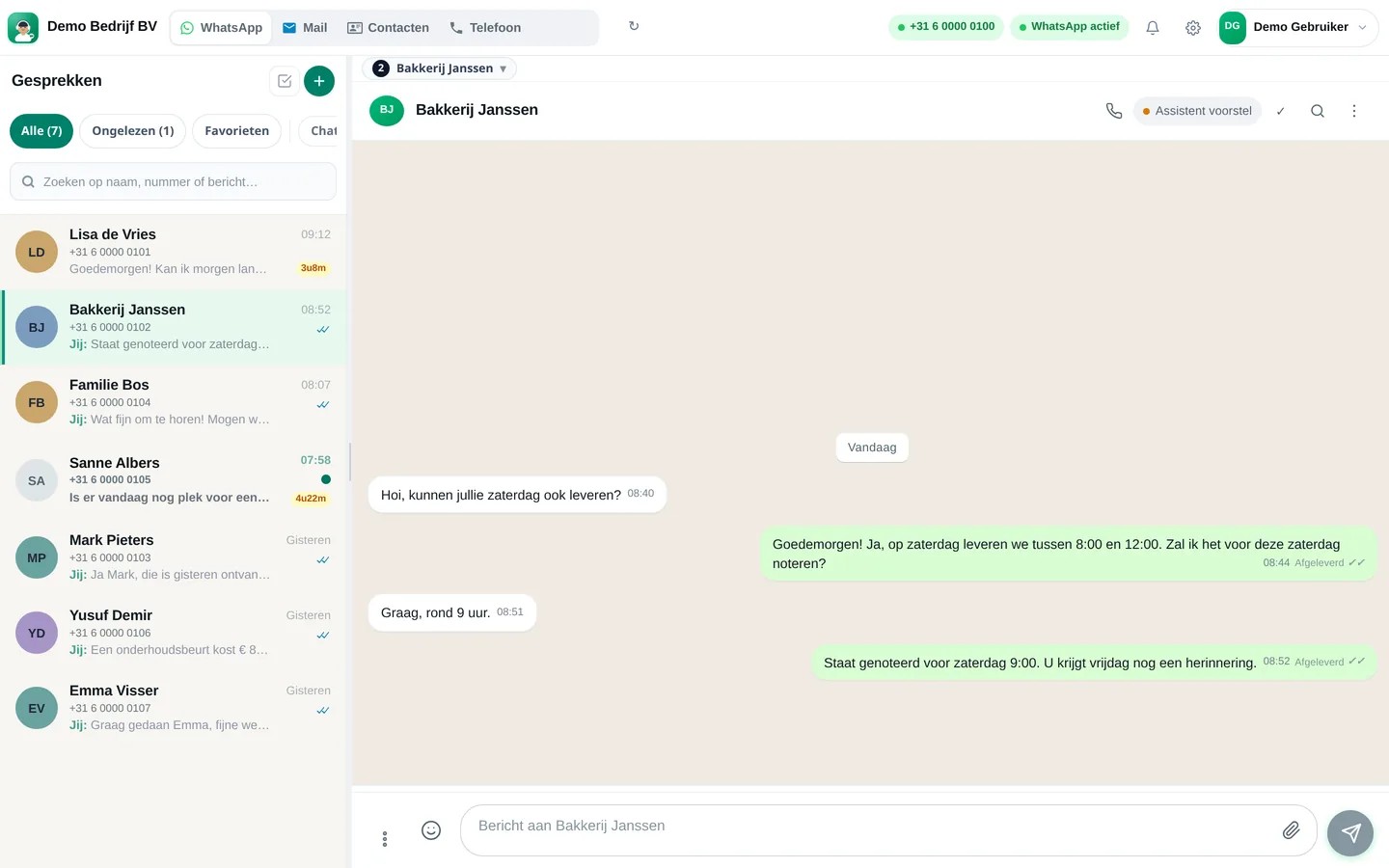

From sign-up to working channel. You keep your own number.
WhatsApp, e-mail, Instagram and your calendar.
Types of shoots, packages, service area and how you quote.
First drafts that you approve, later more autonomously if you're comfortable with that.
Features that Slimbot has today. No promises we don't keep.
Date, location, type of assignment, number of people and purpose of use: the assistant asks for it before you respond yourself.
With your connected calendar, the assistant offers available slots, so a date doesn't take three messages.
Request, appointments, preferences and conversations of a couple or company are together, even if they came in via Instagram or e-mail.
A message for the shoot day with time, location and what to bring, so your client doesn't arrive late or unprepared.
Upon delivery, you send the link to your own gallery or download page, followed by a request for a review.
Answer three short questions and see which plan and features we recommend. It's an indication: you choose yourself, and you can cancel monthly.
Two calculators with your own input and visible formula, and answer templates to use immediately. No e-mail address required.
How many requests are left unanswered or arrive too late? Enter your own estimate. The values below are example values.
How many hours per week is your business unreachable for messages, and what does that mean for your response time?
Hoi <naam>, leuk dat je aan me denkt voor <soort shoot>! Om te kijken of het past heb ik nog nodig: de gewenste datum, de locatie, ongeveer hoe lang je de fotograaf nodig hebt, en waarvoor je de foto's gebruikt. Daarna laat ik je weten wat de mogelijkheden zijn. Groet, <uw naam>
Hoi <naam>, hierbij de bevestiging van de shoot op <dag> om <tijd> op <locatie>. Denk aan: <kleding en spullen>. Mocht het weer tegenvallen of wil je verzetten, laat het me <aantal> dagen vooraf weten. Tot dan! <uw naam>
Hoi <naam>, de foto's van <shoot> staan klaar! Je vindt ze via deze link: <link naar galerij>. De link is geldig tot <datum>. Laat gerust weten welke je het mooist vindt of als je iets anders bewerkt wilt hebben. Groet, <uw naam>
Adjust names, times and amounts before you send. Fill in the text in <angle brackets> yourself.
Type your industry. We'll show the relevant page, or a brief tailored explanation of what Slimbot can do for you.
Create a free account and connect your own number, e-mail and website chat. Prefer to see it first? Schedule a short demo.