 Slimbot
 Voice assistant + setup wizard
Your phone never unanswered again
The assistant answers calls, calls back, schedules appointments and helps customers — 24/7. Wizard based on business type: volume, tools, WhatsApp, website, app and Live.
Looking for an AI to answer your phone? Read all about the AI receptionist →
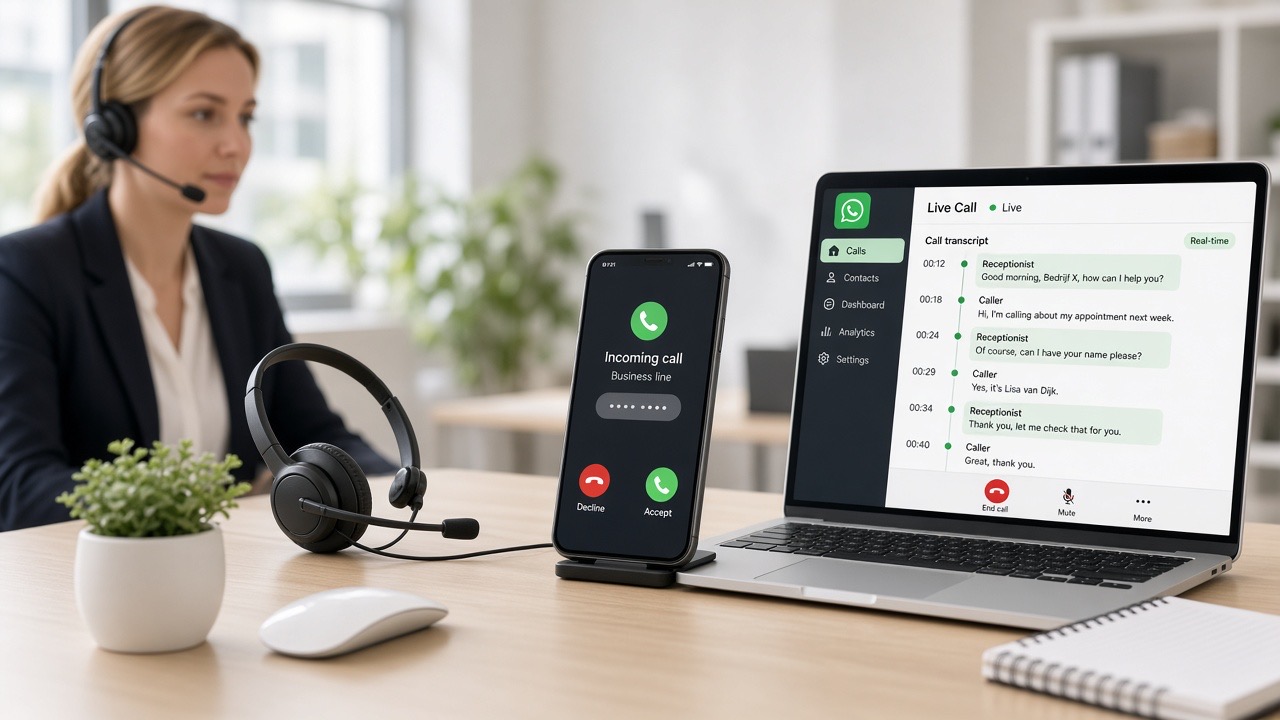
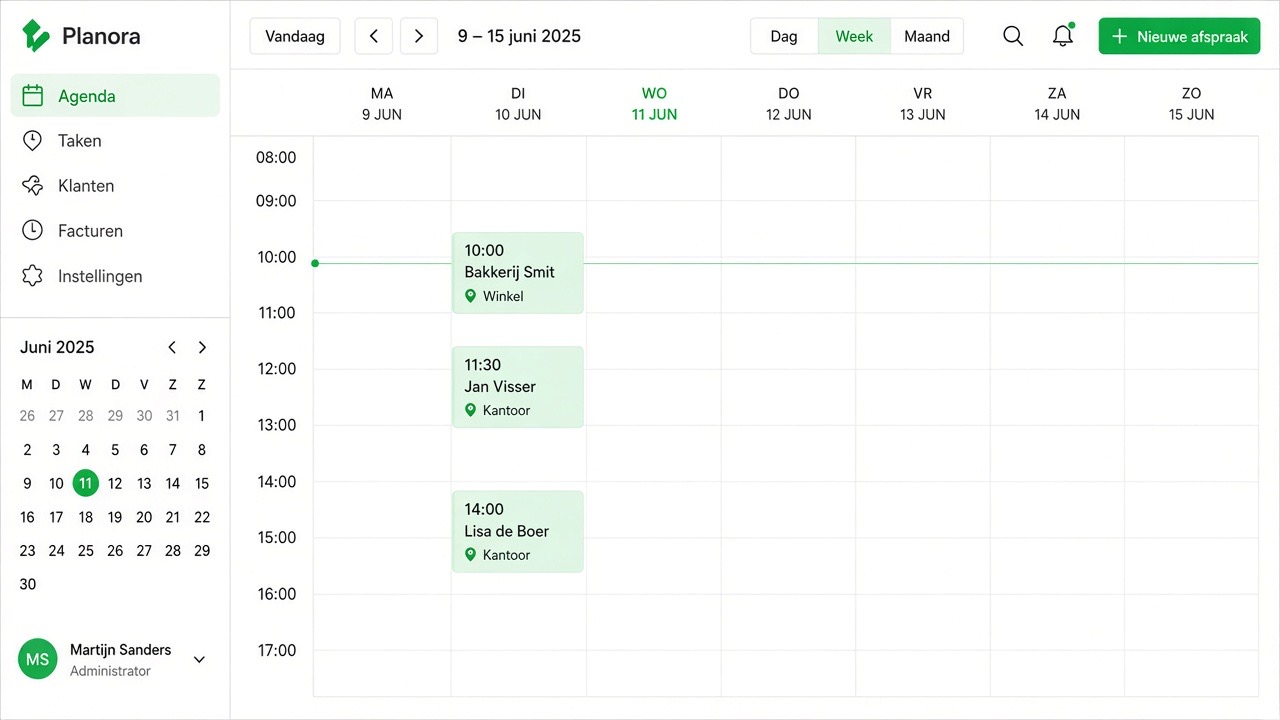
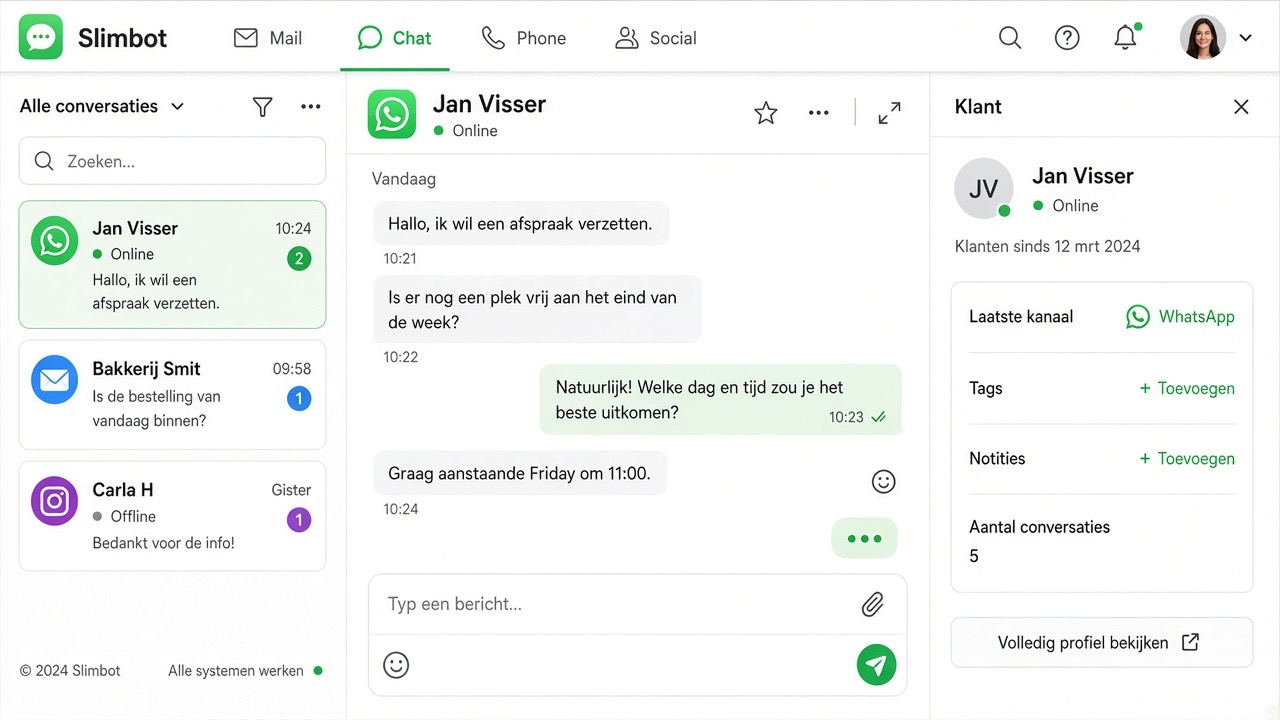
Try it yourself — Live
Experience it immediately: speak Live in Slimbot (as if you're calling), with chat transcribing along — no call minutes needed to test.
- Inbound: the assistant answers for your business
- Outbound: follow-up & leads (wizard)
- Transfer, WhatsApp follow-up, calendar
- Volume: 2 / 5 / 20 simultaneous calls
Start Live in Slimbot
Talk directly to the voice assistant. Then: wizard for inbound/outbound, volume and tools.
Try Slimbot for freeFree demo · No call minutes for Live test · Dutch servers
Inbound + outbound — one assistant
Inspired by contact-centre flows: customer calls → AI helps → only transfer if needed. Plus outbound for leads.
 Inbound
The assistant answers, responds to FAQs, schedules appointments, notes urgent matters and forwards according to your rules.
 Outbound
Follow-up of leads, reminders, no-show call-backs — from Slimbot, with transcript in the dashboard.
 Tools
Tools
Transfer, WhatsApp/SMS after call, diary, lead qualification, schedule (hours), Live in the app.
Choose your business type — we'll ask the right questions
Steps that fit you. Installer gets urgent + quote; salon gets diary; webshop gets order status.
All integrations — one Slimbot
WhatsApp, AI phone line, Live, premium voices, website, own app, ChatGPT-style AI chat, e-mail, team chat and diary. Under your brand — no supplier chaos in the UI.

App connection (QR) or official Cloud channel — everything in one inbox.

AI phone line
Business 085 number or your own line: the assistant answers, schedules and takes notes.
Live in Slimbot
As if you're calling — in app/browser, with live chat that types along.
Premium voices
Studio-quality TTS + Slimbot voices for messages and assistant.

Website & chat widget
Index your own site, build with us, or widget on your site.

Own Slimbot app
iOS/Android with team chat, inbox and live voice.

Your own AI chat
ChatGPT-like workspace under your brand — train, practise, publish.

E-mail & calendar
Mailboxes + appointments — the assistant schedules along.
Transfer
Rules: when to you, colleague or priority line.

Dashboard
Conversations, summaries, volume & insights.
Volume & simultaneous conversations
Choose what fits in the wizard — we scale with you (like call minutes / concurrent at contact centres).
Starter
~50 conversations / month · 2 simultaneous · ideal for freelancers
Growth
50–250 / mth · 5 concurrent · SMEs with peaks
Scale
250+ / peaks · up to 20 simultaneous · bespoke
Wizard — from brand to line, in Slimbot
Yes: we already have steps (brand → domain → website → WhatsApp). Now also a voice wizard from the Voice Assistant tool.
Business type
Industry + right questions.
Channels
WA, tel, site, app, AI chat.
Voice & Live
Premium voice + Live testing.
Phone line
085 / own line.
QR or Cloud.
Website / AI
Indexing + workspace.
Train & test
Knowledge base + Live.
What the voice assistant does
Phone and app — one Slimbot, under your brand.
Answer the phone
Answer incoming calls, transfer them or take a message.

Schedule appointments
Calendar-aware answers and follow-up actions for your team.
Live in Slimbot
Talk to the assistant in the app — with live chat that types along as you speak.

Faster / calmer
Choose pace and answer length: short & fast, or calm & clear.

Team chat Live
Also in Team chat: everyone sees the bubbles whilst you talk to AI.

Dutch hosting
EU/Dutch servers. Hosting with us or own hosting — your choice.
Try Live — as if you're calling
No phone number needed. Start Live in Slimbot, speak, and see the text appear whilst the assistant responds. Afterwards: wizard to complete channels and line.
- Real-time speech (duplex)
- Live chat transcript
- Pace: faster / normal / calm
- Setup wizard from the tool
Plans
Choose what fits — live voice is included in Pro & Business.
Try-out
- 1 Pro assistant on our test number
- Custom persona and greeting
- FAQ + appointment link
- Web widget
Starter
- Your own verified WhatsApp number
- 1 Pro assistant + persona
- FAQ and knowledge base
- Schedule appointments
 Most popular
Pro
- Everything in Starter
- Up to 3 team members, shared inbox + routing
- ~5,000 conversations/month
- Agent performs actions: site, logo, photo/video analysis
Business
- Multiple numbers and departments
- Higher conversation and call minute bundles
- Pro call agent included
- Custom integrations
Frequently asked questions
Is there a setup wizard?
Yes. In Slimbot: onboarding (brand → domain → website → WhatsApp) and the voice setup from the Voice Assistant — business type, channels, voice, phone, site and training.
Which integrations are included?
WhatsApp, AI phone line, Live, premium voices, website/chat widget, Slimbot app, own AI chat (ChatGPT style), e-mail, calendar, transfer, outbound and conversations dashboard. Telephony stack remains behind the scenes — in the UI you see Slimbot language.
Inbound and outbound?
Yes. In the wizard you choose inbound, outbound or both. For outbound: upload a lead list in Call campaigns and start yourself (AI line) or let Slimbot run the campaign for you.
Can I try it live first?
Yes. You try Live on this page and then complete via the voice setup wizard — no separate demo site needed.
Do I see the text whilst we're speaking?
Yes. The live chat types along (you + the assistant) during the conversation — in the Voice Assistant tool and in Team Chat.
Which plan includes Live?
Live / Voice assistant is in Pro & Max. The setup wizard then helps you complete phone, WhatsApp and website.
Ready to set up and talk Live?
Wizard for setup · Live to test · Call campaigns for outbound.