Training your bot on your own services and frequently asked questions
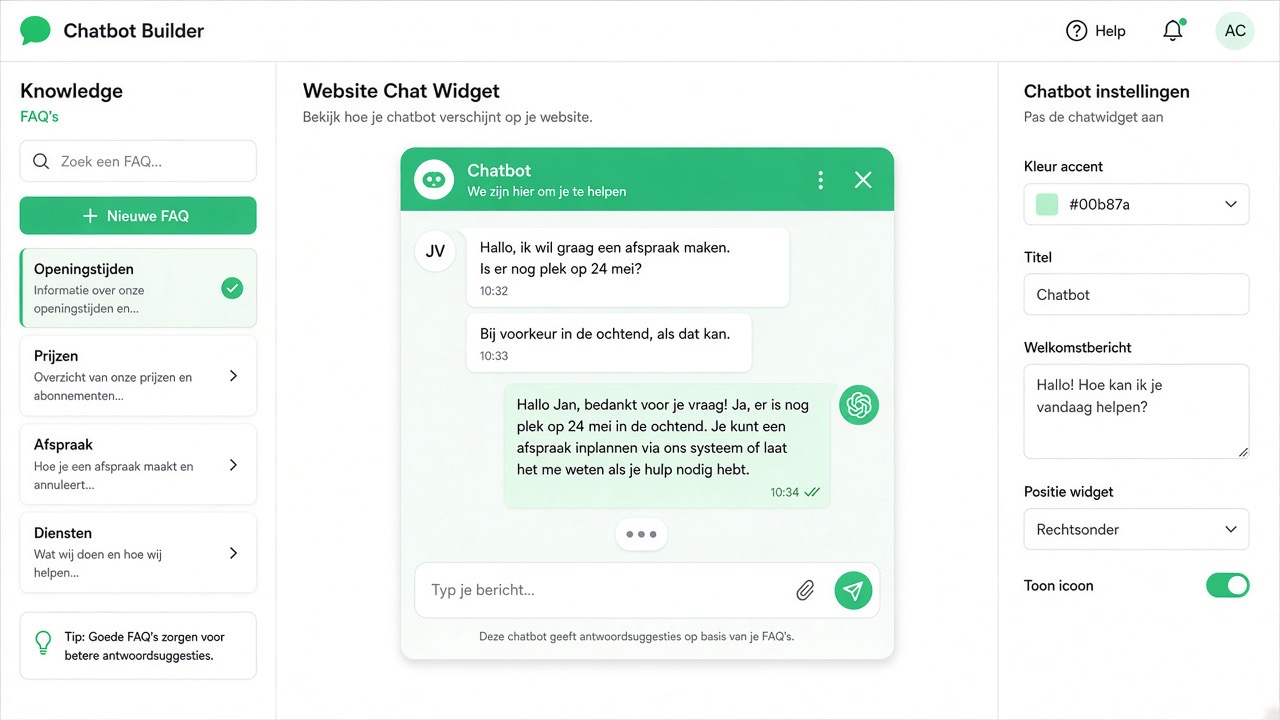
An assistant is not clever because it uses AI, but because it knows what your business does. Without training it gives general answers that anyone could have given; with good training it answers questions as your best team member would. This chapter describes how you build that training, how you write answers that actually work and how you prevent things being promised that you cannot deliver.
What training actually involves
Training isn't programming. You record knowledge in pieces that the assistant can use: question-answer pairs, descriptions of your services, your service area, your working method and the boundaries of what may be said. The assistant combines that knowledge with the customer's question and formulates an answer in your tone. What isn't in your training, he shouldn't invent — for that, you record an explicit rule that refers to a team member.
In practice, the training consists of three layers:
- Facts — opening hours, service area, services, contact details, delivery times.
- Question-answer pairs — the actual questions customers ask, with a short and clear answer.
- Rules of conduct — how the assistant introduces itself, when it refers on and what it makes no statements about.
Where you get the material from
The best source is your own conversation history. Scroll back two to four weeks in your WhatsApp and mailbox and note down the questions verbatim. Supplement with:
- The frequently asked questions already on your website.
- The questions your team gets asked verbally most often.
- The questions that led to misunderstandings or complaints — those especially deserve a precise answer.
- Your quote or request form: the fields in it are exactly the information the assistant needs to collect.
Step-by-step guide
- First record the facts. Company name, services, service area, opening hours, contact options and what you don't do. This prevents most mistakes in one go.
- Open the training page in the dashboard. See Chatbot & website widget for where to find this.
- Enter your question-answer pairs per category. Work through category by category: services, price and quote, planning, service area, guarantee and aftercare, invoicing.
- Add two or three phrasings per question. Customers write 'what does it cost', 'price indication?' and 'can you make a quote' — all the same question.
- Write the behaviour rules. How does the assistant introduce itself, what does it do when in doubt, which topics always go to a human.
- Set the tone. Formal or informal, short or detailed. Keep this consistent with your website.
- Test in the preview window. Ask each question again in different words. What you don't find clear yourself won't be clear to your customer either.
- Go live on one channel and monitor for a week. Every answer you'd like to adjust, you add or refine directly.
- Schedule a regular maintenance moment. Once a quarter, go through the training: are prices, services, opening hours and service area still correct?
How to write a good answer
A useful answer meets four requirements:
- Short. Two to four sentences. On WhatsApp, no one reads a paragraph.
- Be specific. "We work in the Utrecht region and up to approximately 40 kilometres beyond" is useful; "we work in a wide area" is not.
- With a follow-up step. Close with a question or action: "Shall I note down your location and the type of job for now?"
- Honest about uncertainty. If something depends on the situation, say so and offer to look into it.
Avoid absolute promises you cannot always keep. 'We always come within 24 hours' becomes a complaint the first busy week. 'We usually schedule within a few working days; let me see what's possible' is more honest and causes less hassle.
Setting boundaries: what the assistant stays silent about
This is the part most often skipped and most frequently needed. Explicitly state that the assistant does not make statements about:
- Final prices, discounts and payment arrangements that you have not recorded.
- Guarantee periods, liability and legal matters.
- Availability of materials or suppliers.
- Personal data of other customers or ongoing cases of third parties.
- Medical, financial or legal advice.
For each of these topics, set one standard response that politely refers to a team member. That way you can be sure nothing is promised that you can't deliver.
Checklist
- The assistant introduces itself as a digital colleague and mentions your company name.
- Service area, services and opening hours are included and match your website.
- Every frequently asked question has at least two phrasings.
- There is an explicit standard response for "I don't know".
- Prohibited topics are recorded with a referral.
- Answers are brief and end with a follow-up step where possible.
- The tone matches your website and your way of communicating.
- You have tested the training with at least ten real customer questions.
- There is a maintenance moment in the diary.
Common mistakes
- Pasting your entire website in. Marketing copy produces vague answers. Put concrete facts and question-answer pairs in it.
- Only enter proper questions. Customers type with abbreviations, typos and half sentences. Add realistic variants.
- No "I don't know" answer. Without that rule, the assistant will still try to formulate something, and that is precisely what you do not want.
- Leaving contradictory information. An old opening time next to a new one is guaranteed to lead to a wrong answer. Update old knowledge instead of putting new information alongside it.
- Writing answers from your own jargon. Your customer doesn't know your technical terms; write as you would explain it on the phone.
- Never look back at real conversations. The inbox is your best training source; those who don't read it train blind.
- Entering prices that quickly become outdated. Work with from-prices or let the price come from the quote, and update with every change.
Frequently asked questions
How many questions do I need to enter as a minimum?
Start with the twenty questions you receive weekly, spread across your main categories. In practice, this covers the majority of incoming traffic. Then expand based on conversations where the assistant couldn't help — that's more effective than thinking up hundreds of variations in advance.
Can the assistant learn from my website?
Your website is a useful starting source for facts such as services, service area and contact details. However, bear in mind that marketing copy often contains little concrete information. Therefore, always check what has been taken over and supplement with real question-answer pairs.
What happens to a question that hasn't been trained?
Then the assistant should indicate that it is not certain and transfer the conversation to a team member. You define that behaviour yourself in the rules. Without that rule, there is a chance of a plausible-sounding but incorrect answer.
Should I put prices in the training?
That's your choice. If you have fixed rates or clear starting prices, it saves a lot of back-and-forth. If you work with bespoke solutions, have the assistant not mention amounts but collect the details for a quote. Only put prices in the training that you also maintain.
How often should I update the training?
Schedule at least one quarterly review of opening hours, services, rates and service area. Also update immediately whenever something changes or whenever you see an answer in the inbox that could be better. The latter usually takes just a few minutes per week.
Does the same training apply to WhatsApp, website, e-mail and phone?
Yes, the knowledge is shared: what you record once, the assistant uses across all channels. You can vary the length and tone of answers per channel — shorter on the phone than in an e-mail.