Automating customer service: complete guide for SMEs
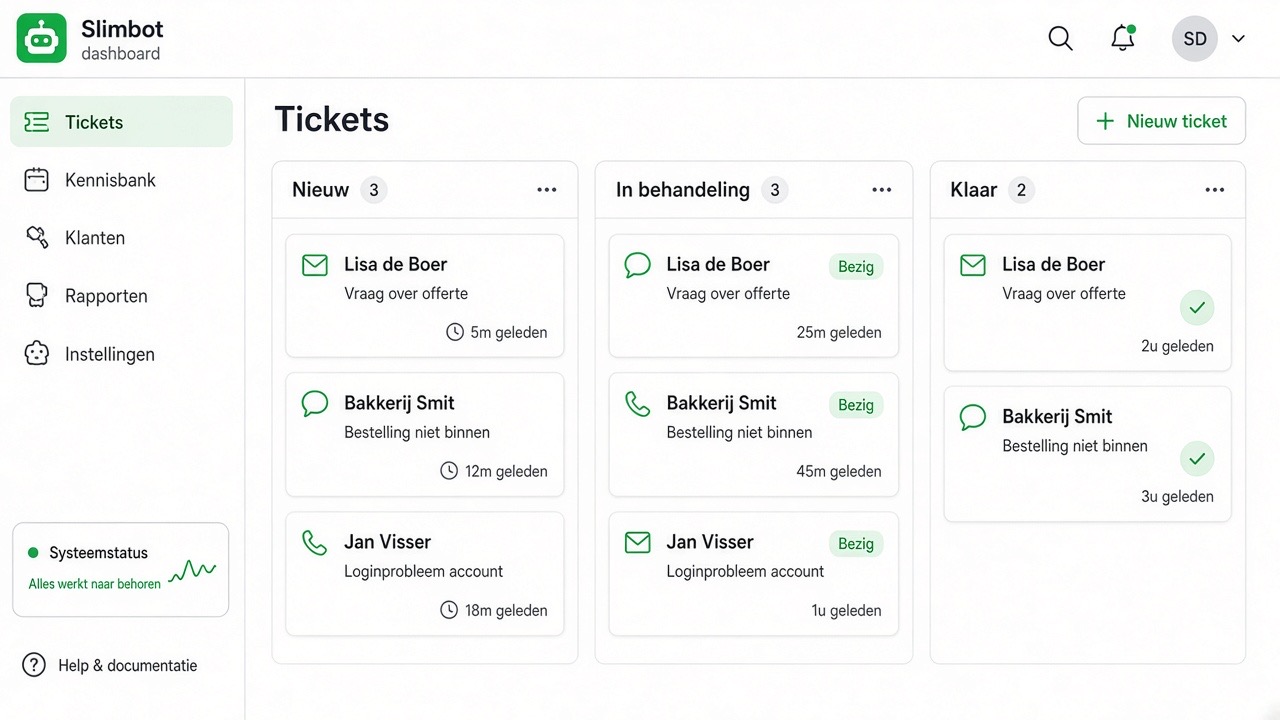
Automating customer service does not mean leaving your customers to a machine. It means that the questions you answer again every week — opening hours, price indication, delivery time, where is my order, can you come to my area — are answered immediately, and that the questions that really need your attention reach you properly. This guide describes how you build that up step by step as an SME, without compromising the quality of your service.
The problem: the work is in the repetition
Most small and medium-sized businesses don't lose time on difficult customer questions. They lose time on simple, repeated questions that come in through five different channels: WhatsApp, the contact form, the phone, the mailbox and sometimes a chat window on the website. Each channel has its own rhythm, and no one has a complete overview. The result is familiar: messages that arrive in the evening sit until the next morning, a request falls through the cracks, and the first response takes so long that the customer has meanwhile called somewhere else.
Automation solves that in two ways. Firstly, by bringing all channels into one inbox, so you no longer have to switch. Secondly, by having recurring questions answered directly by a digital colleague who knows your services, service area and working methods.
What a digital colleague can and cannot do
Being honest about this saves you disappointment. A well-trained assistant can:
- Answer standard questions based on what you have recorded yourself.
- Request information you need for a quote or appointment — location, type of job, desired date.
- Respond outside office hours, so that a request doesn't go cold.
- Conducting a conversation in multiple languages.
- Hand over to a human as soon as the conversation goes off the beaten track.
What an assistant cannot do: guarantee that every answer is correct if you have not recorded anything. An assistant who has not been given pricing information should say that a colleague will confirm this — not mention an amount themselves. The same applies to legal commitments, guarantee periods and availability of materials. Record what may be fixed, and deliberately leave the rest open with a forwarding action to you.
Step-by-step plan: from zero to working automation
- Take stock of two weeks' worth of questions. Scroll back through your WhatsApp and mailbox and note down literally the questions you received. Not summarised — literally, in the customer's words. This will become your training material later.
- Group them into categories. Usually you end up with five to eight groups: service content, price and quote, planning and availability, service area, status of an ongoing job, warranty and aftercare, invoicing.
- Determine the desired end result for each category. Do you want the assistant to answer itself, collect data and then hand over, or connect directly? Write this down before you set anything up.
- Set up your account. Follow Getting started: create an account, choose a plan and log in to the dashboard.
- Connect one channel first. Start with the channel where most questions come in — for most businesses that's WhatsApp. See Connect WhatsApp.
- Train the assistant on your categories. Enter multiple question variations per category with one clear answer. Detailed procedure: Training your bot on your own services and Chatbot & website widget.
- Test with real conversations. Have two colleagues spend fifteen minutes asking questions as customers do — with typos, half sentences and a question about something else in between.
- Set one channel live and monitor for a week. Read back the conversations in the inbox every day. Every answer you would want to adjust is direct training.
- Expand to the other channels. Website widget, email and then possibly phone answering.
Which channel first? A simple order
Start where the volume is, not where the technology is most interesting. In practice, this order works best for SMEs:
- WhatsApp — highest response rate, customers are already there, connection is quickly arranged.
- Website widget — catches visitors who would otherwise click away; uses the same training as WhatsApp.
- E-mail — suitable for more extensive requests and attachments.
- Phone answering — the biggest step, because voice requires strict conversation rules. Only do this once the text channels are running smoothly. See Set up AI receptionist.
Handover to a human: the most important setting
Automation succeeds or fails on a good handover. Agree internally when the assistant stops and you take over. Common triggers: a complaint, a question about an ongoing order, a request for a specific price, the same question asked twice because the answer wasn't understood, or simply asking for a team member. Make sure you can see in the inbox that a conversation has been handed over and that you can take over the conversation directly there — the customer doesn't have to repeat anything.
Go-live checklist
- The assistant introduces itself as a digital colleague and mentions your company name.
- Opening hours, service area and contact details are recorded and correct.
- For each category from your inventory, at least one tested answer exists.
- There is an explicit answer for 'I don't know' that refers to a human.
- Prices are only mentioned if you have recorded them yourself; otherwise a quote appointment follows.
- Handover rules are set and tested end-to-end once.
- There is a designated person who checks the inbox daily.
- Customers can indicate they no longer wish to receive messages, and this is respected.
- You know which features belong to your plan — see Plans.
Common mistakes
- Switching everything on at once. Four channels on day one means four times as much confusion if something goes wrong. One channel, one week, then expand.
- Training on made-up questions. Questions you think up yourself are more neatly formulated than those from customers. Use real conversations.
- No escalation path. An assistant without an exit to a human lets customers get stuck. This is the fastest way to lose trust.
- Hiding that it's an assistant. Customers notice and feel misled. Transparency works better.
- Set up once and never look back. Your services, rates and service area change; your training must move with them.
- Making answers too long. On WhatsApp, no one reads eight lines. Short answer, then a follow-up question.
- Forgetting who's watching. Without a clear owner in the team, the inbox still gets neglected — see Settings & team.
Frequently asked questions
Does automation replace my customer service team member?
No. In practice, the work shifts: repeat questions disappear from the inbox and more time remains for conversations that truly need attention — quotes, complaints and customers who are hesitating. For most SMEs, this means responding faster with the same team, not fewer people.
How long does it take before the automation works?
Technically connecting one channel is a matter of minutes. The quality lies in the training: allow a few hours for the first set of answers and then a week in which you fine-tune daily based on real conversations. After that week, maintenance is usually limited to occasionally adding an answer.
What happens if the assistant doesn't understand a question?
Then it should say so and transfer the conversation to a human, instead of guessing. You set when that happens yourself. A conversation that is transferred remains fully visible in the inbox, so you don't have to ask the customer again.
Can the assistant just mention prices?
Only what you have recorded yourself. If you have not entered rates, the assistant indicates that a colleague will prepare a suitable quote and collects the information you need for that. This prevents you from making commitments you cannot keep.
Do customers notice they're talking to an assistant?
Yes, and that's the intention. The assistant introduces itself as a digital colleague of your company and makes clear how someone can reach a team member. Customers generally appreciate a quick and honest answer more than the suggestion that a human is watching.
Which channel is best to start with?
On the channel where most questions currently come in. For most Dutch SMEs, that's WhatsApp, followed by the website. Phone answering is the last step, because voice conversations require stricter conversation rules than text.