Set up AI receptionist: from first call to transfer
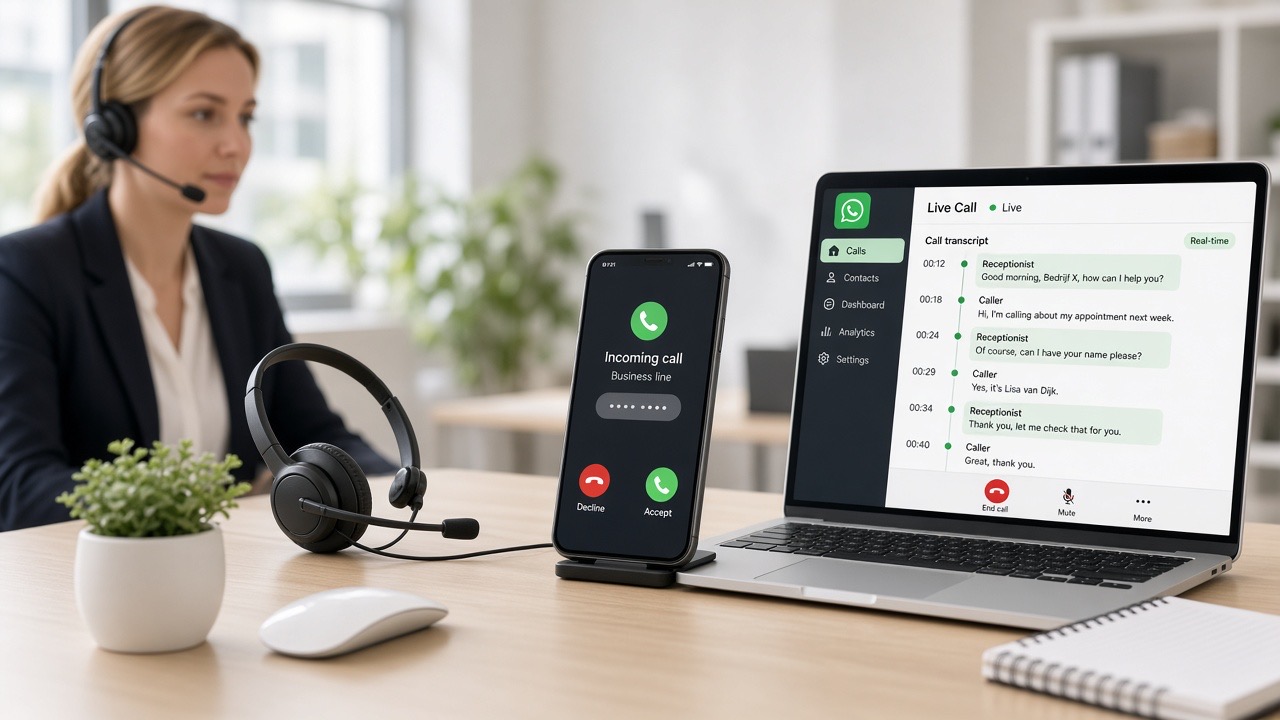
A phone that isn't answered is a missed job. At the same time, the phone is the most difficult channel for many business owners to automate: you hear immediately if something doesn't sound natural, and a customer can't just scroll back. This chapter shows you how to set up an AI receptionist that handles incoming calls properly, asks the right questions and transfers at the right moment — without callers feeling they've ended up in a menu system.
Why telephony requires different rules than chat
With WhatsApp or a chat widget, an answer can be two sentences longer; with voice, that's disruptive. On the phone, the rule is: speak briefly, ask one question at a time, and leave space for an answer after each question. Moreover, people talk over each other on the phone, mention street names that are hard to understand and say "uh" halfway through a sentence. Your conversation rules must take this into account.
The second difference: on the phone a customer can't open a link themselves. Everything you want to convey must fit in the conversation or be sent afterwards by message. The latter is exactly why phone and WhatsApp work well together — the receptionist can send a summary or appointment confirmation to the caller's number.
Preparation: what to define before you start
- Opening line. Company name, name of the digital colleague and the message that this is a digital team member.
- Purpose of the conversation. Usually: understand the question, gather information and either complete it yourself or transfer.
- Your core details. Opening hours, service area, services and what you explicitly do not do.
- Transfer numbers. Which number for which topic, and what happens if no one answers.
- Boundaries. Topics on which the receptionist does NOT make statements: final prices, guarantee periods, legal commitments.
Step-by-step guide
- Arrange a business number. Open Phone & calling in the manual and then the phone hub in the dashboard. If you do not yet have a business number, request one there. If you do have one, decide whether to forward the existing number to the AI line.
- Request the AI phone line. This is done via the phone hub in the dashboard or via support. When requesting, provide the opening phrase, transfer numbers and opening hours you want.
- Choose the voice and speaking pace. See Speech & voice. Choose a voice that suits your sector — calm and professional almost always works better than exuberant.
- Fill in the knowledge. The receptionist uses the same knowledge as your chat assistant. If you've already trained that, you don't need to do anything twice. If not: follow Training your bot on your own services.
- Determine the conversation structure. Work with a fixed sequence: greeting, clarifying the question, collecting details (name, phone number, location, subject), and then closing or transferring.
- Set up the forwarding rules. One destination per topic, plus a fallback option for outside office hours or if no one answers.
- Call yourself three times. Once as a simple customer, once as someone who wants a team member immediately, and once as someone with a complaint. Pay particular attention to what happens when you interrupt the receptionist.
- Put the line live outside office hours. Start with evenings and weekends. The impact of a mistake is smaller then and you immediately see how many calls you would otherwise have missed.
- Read the conversation summaries daily. In the first week, every conversation is training material. Add missing answers and refine the forwarding rules.
Forwarding: the most important part
An AI receptionist that wants to handle everything itself loses customers. Therefore, build in at least these three routes:
- On request. If the caller says "I want to speak to a team member", the receptionist transfers without discussion.
- By topic. Complaints, ongoing jobs and emergencies always go to a person.
- When in doubt. If the receptionist doesn't understand the question after two attempts, it forwards the call rather than asking again.
If no one answers, the receptionist should handle it: it notes name, number and subject and creates a call-back request. That request comes into the same inbox as your messages, so it doesn't disappear into a separate voicemail box — see Inbox & messages.
After the call: follow-up via WhatsApp or e-mail
The strongest combination is telephony plus a text channel. Immediately after a call, the caller can receive a short confirmation: what was agreed, when they'll be called back, which details were noted. That halves the number of 'I called yesterday but haven't heard anything' phone calls. The condition is that the caller's number may be used for that follow-up; ask this explicitly during the call. For connecting that channel: Connect WhatsApp or E-mail.
Go-live checklist
- The opening line mentions your company name and makes clear that it's a digital colleague.
- There is a working route to a human, even outside office hours.
- Transfer numbers have been tested — actually called, not just filled in.
- The receptionist does not quote definitive prices or deadlines that you have not recorded.
- Call-back requests appear visibly in the inbox and have an owner.
- Opening hours and service area match what is on your website.
- You have made at least three test calls yourself, including one difficult one.
- Callers can indicate that they do not wish to be followed up by message.
- You know which telephony features are included in your plan — see Plans.
Common mistakes
- Cramming too much into the opening line. Company name, digital colleague, open question. Nothing more.
- No escape route. If "team member" has no effect, the caller hangs up and calls a competitor.
- Asking multiple questions at once. "What is your name, address and what kind of job is it about?" produces a half answer.
- All hours live immediately. Start outside office hours; that's where you gain the most and risk the least.
- False certainty. A receptionist who says 'that's possible tomorrow' without knowing your diary creates an appointment you can't keep.
- No follow-up. A conversation without confirmation still results in a second phone call.
- Never listen back. Reviewing conversation reports in the first week delivers more improvement than all settings combined.
Frequently asked questions
Does a caller hear that they are speaking to an AI receptionist?
Yes. The receptionist introduces itself in the opening line as a digital colleague of your company. This is a deliberate choice: callers then ask their question more directly and accept it better when the call is transferred to a team member.
Can I keep using my existing phone number?
Usually yes. The usual approach is to forward your existing number to the AI line, for example only outside office hours or when no one answers within a certain number of rings. You can also request a new business number via the phone hub in the dashboard.
What happens if the receptionist doesn't understand the caller?
After two failed attempts, the receptionist should transfer the call to a human or create a call-back request with name and number. Continuing to ask questions is the fastest way to lose a caller, so you set that limit deliberately.
Can the receptionist put an appointment in my calendar?
Only if your calendar is connected and you have indicated which time slots may be released. If that is not set up, the receptionist collects the caller's preferences and prepares a call-back request — so you confirm yourself and no double bookings occur.
Does the AI receptionist also work in other languages?
Yes, multilingual conversations are possible. On the phone, it is advisable to limit the number of languages to the languages you can also handle in follow-up. Read more about this in Multilingual customer service.
When is it best to run the line alongside?
Start with evenings, weekends and moments when no one answers. That's where you currently miss the most calls and the risk of a less fluent conversation is smallest. If that goes well, you can expand to busy moments during office hours.